
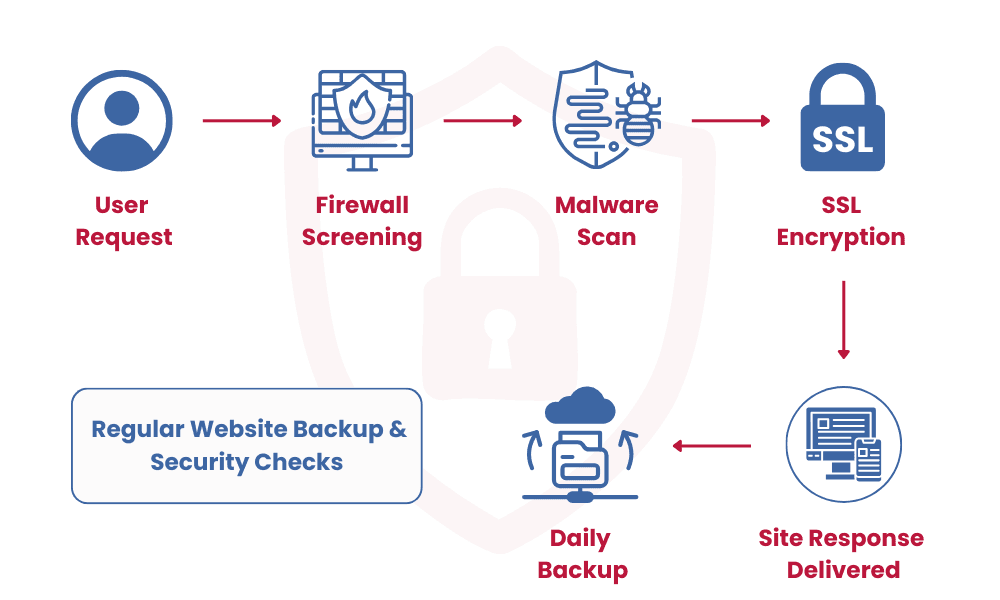
Create a realistic website security and recovery plan covering access, updates, dependencies, forms, monitoring, backups, restoration, incident response, and ownership.
Security is not a one-time plugin or certificate. A business website depends on domains, hosting, application code, libraries, databases, forms, email delivery, administrator accounts, analytics, and external services. Weak ownership in any one of these areas can interrupt the whole system.
Quick answer
A practical website security plan limits access, protects credentials, keeps supported software updated, validates input, monitors important failures, stores appropriate backups separately, tests restoration, documents dependencies, and assigns responsibility for incident response and communication.
Know what the website depends on
Maintain an inventory of domains, hosting, repositories, databases, storage, email services, APIs, analytics, payment or messaging providers, administrator accounts, and responsible contacts. Record renewal and recovery details.
Remove services and accounts that are no longer required. Unsupported plugins, abandoned dependencies, old staging sites, and forgotten administrators increase risk without adding customer value.
Control access and changes
Use unique accounts, strong authentication, least-privilege roles, protected secrets, and a clear process for onboarding and offboarding administrators. Avoid sharing production credentials through ordinary messages or documents.
Test updates in an appropriate environment, review dependency and platform notices, and keep a way to roll back failed releases. Delaying every update indefinitely is not a security strategy.
Design backups around recovery
Decide which data and files need protection, acceptable data loss, required recovery time, backup frequency, retention, encryption, storage separation, and who can restore them. Include configuration and external dependencies where necessary.
Run restoration tests. A successful backup log does not prove that files are complete, credentials are available, versions are compatible, or the team knows how to recover service.
Prepare for incidents before they happen
Define how important errors, downtime, suspicious access, certificate problems, form failure, or unexpected changes are detected and escalated. Preserve useful logs without recording secrets or unnecessary personal information.
An incident plan should identify technical contacts, business decision-makers, containment steps, recovery priorities, communication responsibilities, and a post-incident review. The exact process should match the website's real business importance.
Practical checklist
- Inventory of systems, accounts, dependencies, renewals, and owners
- Strong authentication, least privilege, secret handling, and access reviews
- Supported software, staged updates, monitoring, and rollback process
- Defined backup scope, frequency, retention, separation, and restore tests
- Incident escalation, recovery, communication, and review responsibilities
Common mistakes to avoid
- Assuming HTTPS or a security plugin protects the complete system
- Keeping backups on the same unprotected system without restore tests
- Leaving access, renewals, and incident decisions with one undocumented person
How ABS Soft can help
ABS Soft provides managed hosting with a clear process covering discovery, scope, implementation, review, launch, and support. The recommendation depends on your users, workflow, existing systems, budget, and long-term ownership needs.
Explore our Managed Hosting service or contact the team for a requirement-focused discussion.
Frequently asked questions
How often should a website be backed up?
Frequency should follow how quickly important data changes and how much loss the business can accept. Static sites and transactional systems need different schedules.
Does managed hosting include security?
It may include infrastructure controls, monitoring, updates, or support, but application, account, data, and incident responsibilities must be confirmed in the actual scope.
What is the first step after a suspected incident?
Follow the documented response plan, preserve useful evidence, limit further exposure safely, and involve the responsible technical and business contacts. Avoid making uncoordinated destructive changes.
Final takeaway
The best decision is not the one with the most features. It is the one that solves the right problem, is understandable to its users, can be operated safely, and leaves room for measured improvement.